
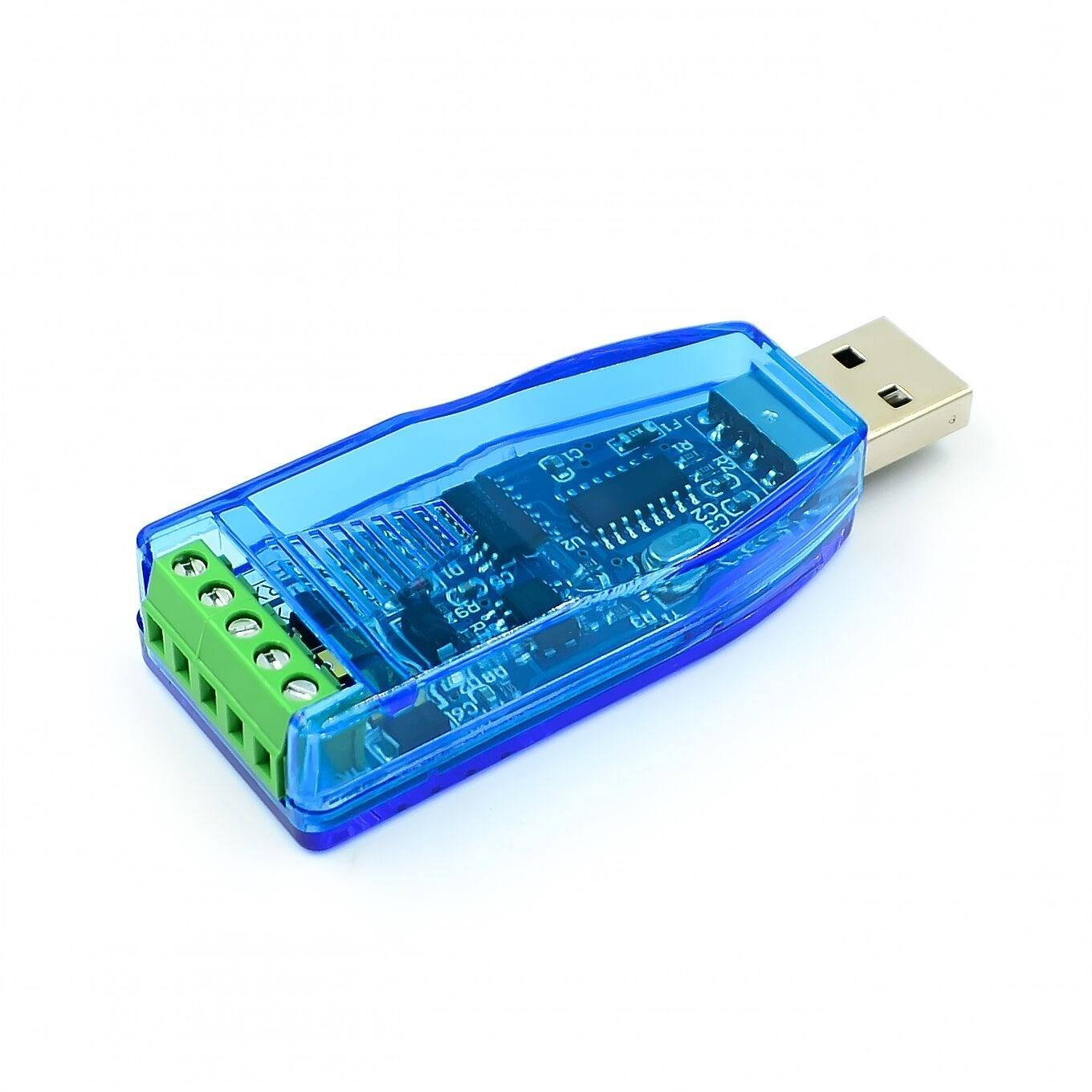
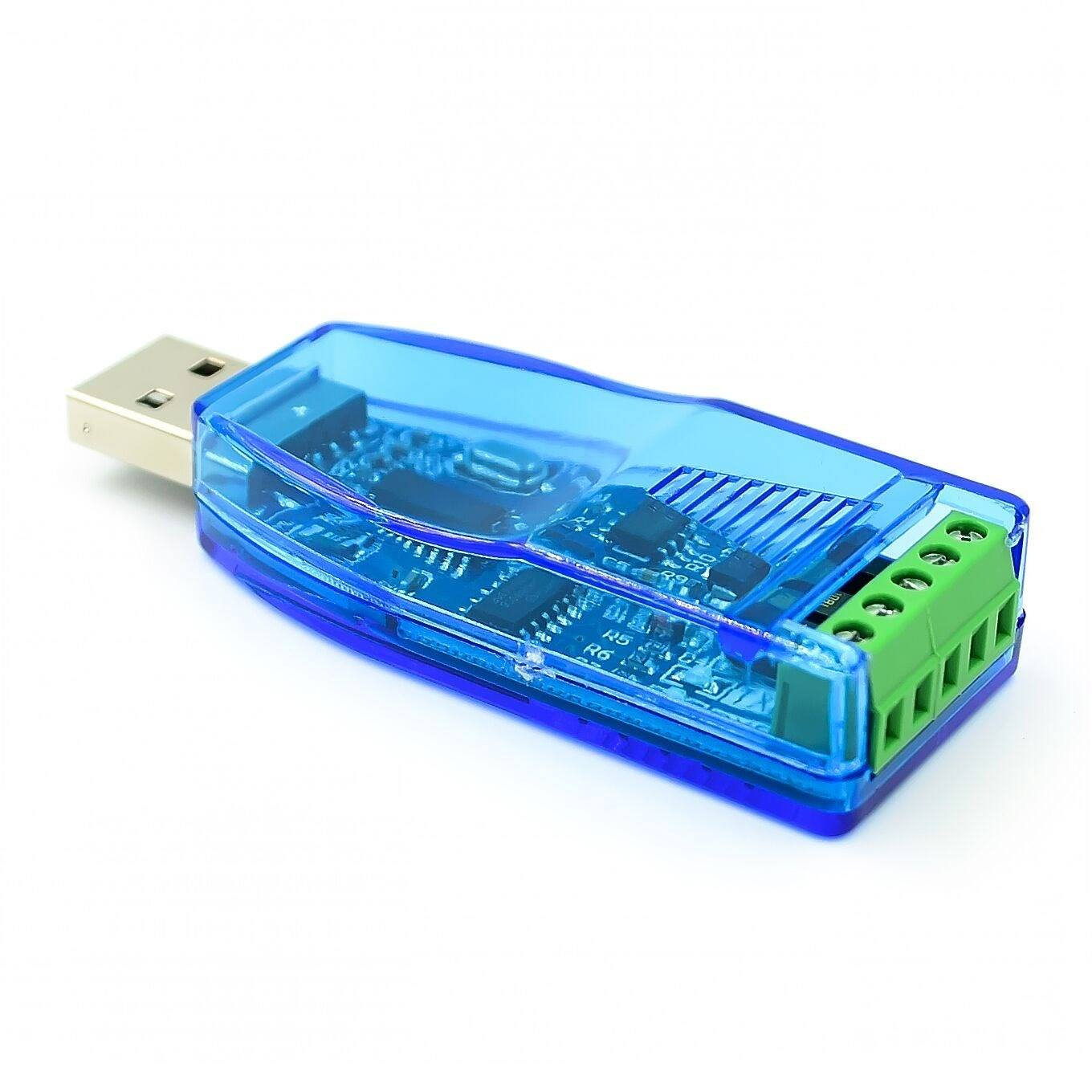
Industrial USB to RS485 Bidirectional Half-Duplex Serial Converter with TVS Protection
₹188.80 incl. GST (₹160.00 + GST)
The Industrial USB to RS485 Bidirectional Half-Duplex Serial Converter is designed for reliable long-distance RS485 communication in industrial and embedded applications. It supports 75–115200bps baud rates and communication distances of up to 1.2km, with TVS transient, anti-static, anti-lightning, and high-pulse voltage protection. The converter features TX/RX indicator LEDs, operates on 5V DC, and uses a limited-slope driver to help reduce electromagnetic interference. Ideal for industrial automation, instrumentation, PTZ control, access control, charging, and attendance systems.
Product Description
The Industrial USB to RS485 Bidirectional Half-Duplex Serial Converter is a reliable communication interface designed to connect a computer or USB-enabled host system with RS485 industrial devices. Built according to industrial-oriented design principles, it incorporates protection features such as TVS transient suppression, anti-static protection, anti-lightning protection, and high-pulse voltage protection to improve reliability in electrically noisy environments.
The converter supports bidirectional half-duplex RS485 communication with baud rates from 75 to 115200bps and a communication distance of up to 1.2 km under suitable conditions. Its limited-slope driver helps reduce electromagnetic interference and improves signal integrity during long-distance data transmission.
The module features TX and RX indicator LEDs for convenient monitoring of data transmission and reception. It operates from a 5V DC supply and provides a compact form factor, making it suitable for industrial automation, instrumentation, monitoring systems, access control, attendance systems, charging systems, and other RS485-based applications.
Features
- Industrial-oriented USB to RS485 converter
- Supports bidirectional half-duplex RS485 communication
- Communication distance of up to 1.2 km under suitable conditions
- Supports baud rates from 75 to 115200bps
- Limited-slope drive for reduced electromagnetic interference
- Helps improve signal integrity over long transmission lines
- TVS transient suppression protection
- Anti-static protection
- Anti-lightning protection
- High-pulse voltage protection
- Protection against damage caused by level incompatibility
- Built-in transmit and receive indicator LEDs
- USB interface for computer connection
- Compact and lightweight design
- Suitable for industrial environments
- Supports reliable serial data communication
Specifications
| Parameter | Specification |
|---|---|
| Product Type | USB to RS485 Converter |
| Communication Standard | RS485 |
| Communication Mode | Bidirectional Half-Duplex |
| Baud Rate | 75–115200bps |
| Maximum Communication Distance | Up to 1.2km |
| Power Supply | 5V DC |
| Protection | TVS Transient Suppression |
| Protection Features | Anti-static, Anti-lightning, High-Pulse Voltage Protection |
| Driver Type | Limited-Slope Drive |
| Indicators | TX / RX LEDs |
| Dimensions | 70 × 27 × 13mm |
| Weight | Approximately 16g |
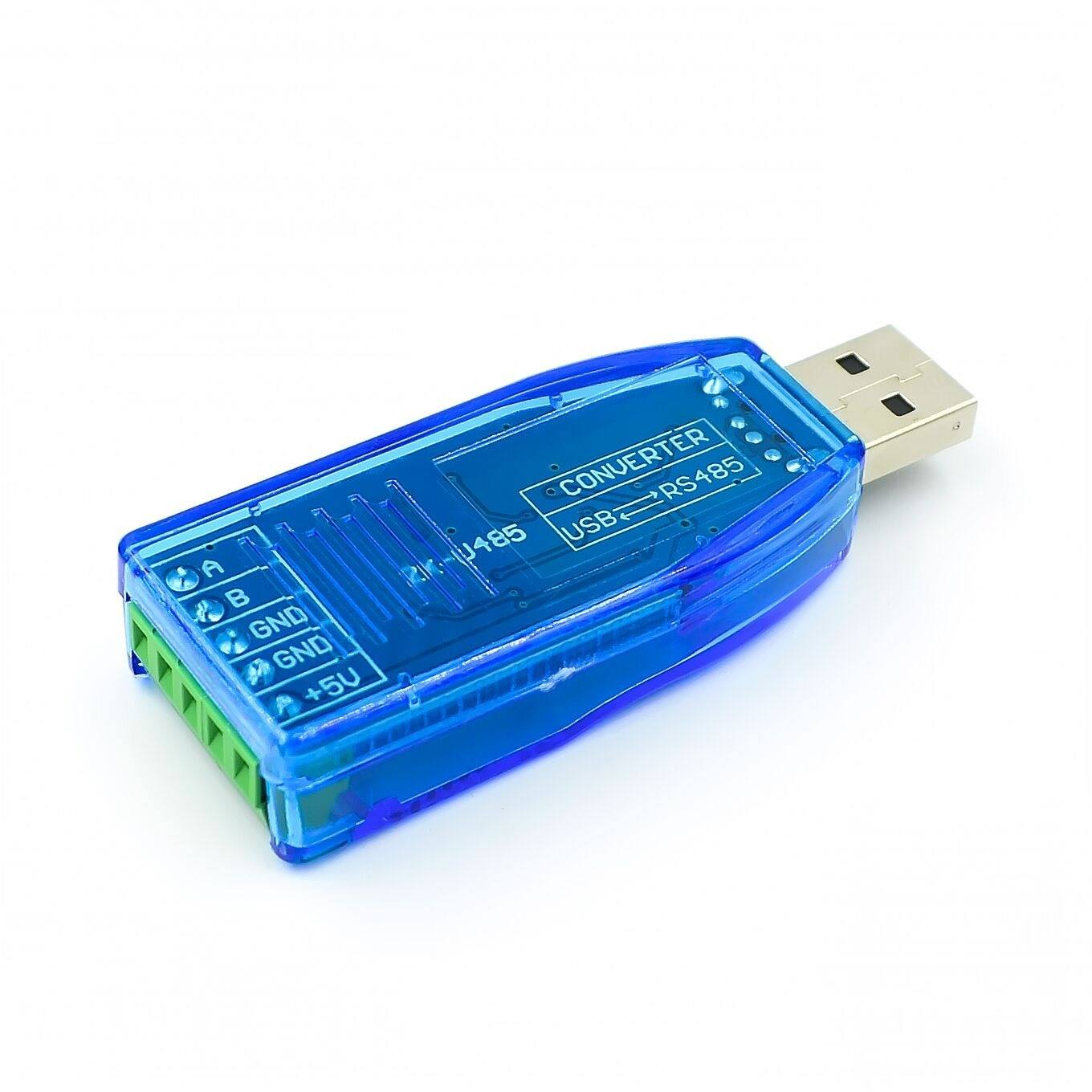
| RS485 Terminals | A, B, GND |
| External Power | 5V DC |
| Application | Industrial and Embedded RS485 Communication |
Working Principle
The converter acts as a bridge between a USB host such as a computer and an RS485 communication network.
When data is sent from the computer through USB, the converter translates the serial communication into an RS485 differential signal and transmits it through the A and B signal terminals.
For incoming communication, the RS485 differential signal is received by the converter and converted back into USB serial data for the connected computer or host system.
The TX and RX LEDs indicate data transmission and reception, making it easier to monitor communication activity.
RS485 Communication
RS485 uses differential signaling, making it suitable for long-distance communication and electrically noisy environments. The converter supports communication distances of up to 1.2 km under suitable conditions, depending on cable quality, baud rate, network configuration, termination, and environmental interference.
The interface supports baud rates from 75bps to 115200bps, allowing it to work with a wide range of RS485-based equipment.
Protection Features
The converter incorporates several protection mechanisms intended to improve reliability:
TVS Transient Suppression
TVS protection helps suppress short-duration voltage transients that may occur on communication lines.
Anti-Static Protection
The design provides protection against electrostatic discharge that could otherwise affect the communication interface.
Anti-Lightning Protection
The protection circuitry is designed to help reduce the risk from transient surges associated with lightning-related electrical disturbances.
High-Pulse Voltage Protection
Additional protection helps protect the internal interface circuitry from high-voltage pulses.
Protection features reduce risk from electrical transients but do not make the converter immune to severe surges or incorrect wiring.
Pin Description
| Pin | Name | Description |
|---|---|---|
| 1 | A | RS485 Signal Terminal A |
| 2 | B | RS485 Signal Terminal B |
| 3 | GND | RS485 Signal Ground – Optional |
| 4 | GND | External Power Supply Ground |
| 5 | VCC | External 5V Power Supply |
Note: Pins 4 and 5 can be used for external power and may also be used to supply power to other suitable equipment as specified by the product design. They can otherwise remain unused when external power is not required.
Installation and Usage
Step 1: Install the CH340 Driver
Install the appropriate CH340 USB-to-serial driver on the computer before connecting the converter if the operating system does not already have the required driver.
Step 2: Connect the RS485 Device
Connect the RS485 device to the converter:
- A → RS485 A
- B → RS485 B
- GND → RS485 GND, when required
Ensure the connections are correct before powering the system.
Step 3: Connect the Converter to the Computer
Insert the USB RS485 converter into an available USB port on the computer.
Step 4: Check the COM Port
Open the computer’s Device Manager and identify the COM port assigned to the USB converter.
Step 5: Configure the Serial Software
Open the required serial communication application and select the corresponding COM port. Configure the baud rate and other communication parameters according to the connected RS485 equipment.
Step 6: Send and Receive Data
Once communication parameters are correctly configured, the computer can send and receive RS485 data through the converter.
The TX/RX indicator LEDs can be used to observe communication activity.
Design and Construction
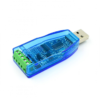
The converter features a compact 70 × 27 × 13mm form factor and weighs approximately 16g, making it convenient for desktop use, control panels, embedded systems, and industrial communication setups.
Its design combines the USB interface, RS485 communication circuitry, protection components, and status indicators into a compact converter.
The limited-slope drive design helps control signal transition characteristics and reduce unwanted electromagnetic interference during communication.
Applications
The Industrial USB to RS485 Converter can be used for:
- Industrial automation
- RS485 device configuration
- Industrial instrumentation
- Data monitoring systems
- Data reading and writing
- PTZ control
- Home appliance control
- Access control systems
- Charging systems
- Attendance systems
- Industrial meters
- PLC communication
- Embedded development
- Computer-to-RS485 communication
- Remote device monitoring
- Building automation
- Control systems
- Serial communication testing
Package Includes
- 1 × Industrial USB to RS485 Bidirectional Half-Duplex Serial Line Converter with TVS Transient Protection
Product Disclaimer
- The maximum 1.2 km communication distance depends on cable type, baud rate, network topology, termination, environmental interference, and connected equipment.
- The stated 115200bps maximum baud rate is subject to the connected device and communication conditions.
- Protection circuits help protect against transient electrical disturbances but do not guarantee protection against severe electrical surges, direct lightning strikes, or incorrect wiring.
- Install the appropriate CH340 driver when required by the computer’s operating system.
- Ensure the RS485 A/B connections and power connections are correct before operation.
- Do not exceed the specified 5V DC power supply.
- The actual COM port number assigned by the computer may vary.
- Product appearance may vary slightly depending on the production batch.
Only logged in customers who have purchased this product may leave a review.



Reviews
There are no reviews yet