
No products in the cart.
Roll over image to zoom in
SIM A7670C 4G LTE Cat.1 Module – TTL Serial(FS-HCore-A7670C)
₹1,400.00 excl GST
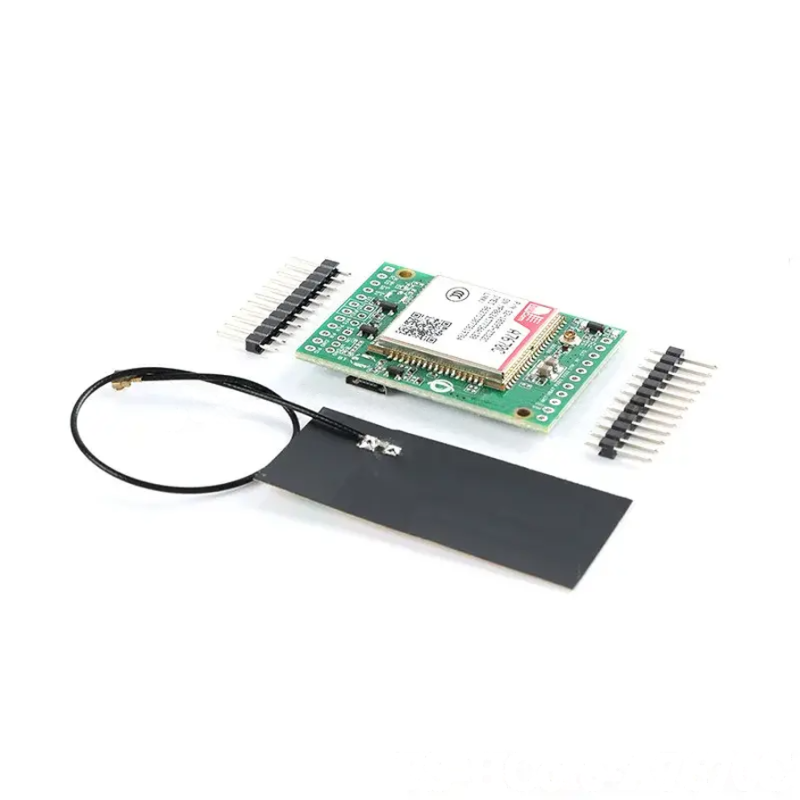
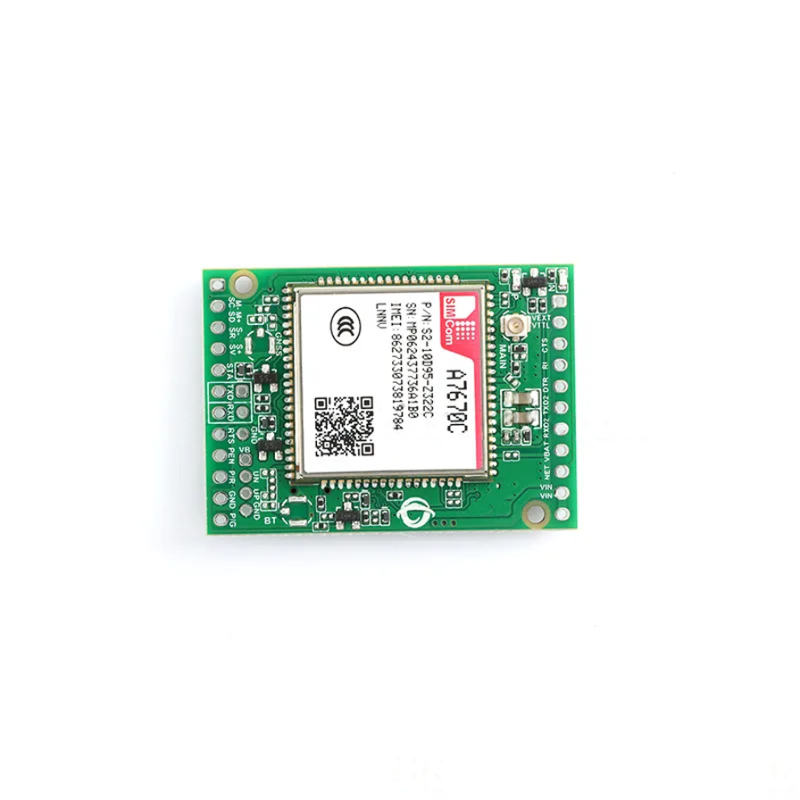
The FS-HCore-A7670C is a robust, full-featured Core Development Board designed to make working with the SIMCom A7670C 4G LTE Cat.1 module easy and efficient. Whether you are building a remote data logger, a GPS tracker, or a smart home gateway, this board provides the essential breakout pins and antenna interfaces you need to get started immediately.
Full Netcom & TTL Compatibility
Designed for embedded applications, the FS-HCore offers full Netcom capabilities, supporting high-speed 4G LTE (Cat.1) networks with seamless fallback to 2G GSM/GPRS. It is fully compatible with Microcontrollers making it an excellent choice for developers already working within the Arduino, Raspberry Pi, ESP32 and STM32 ecosystem.
Plug-and-Play Development
The board features pre-broken out headers for power and UART communication, eliminating the need for complex soldering of the surface-mount module. Simply connect your power supply and microcontroller (MCU), insert a SIM card, and start sending AT commands.
Key Features
Core Module: Integrated A7670C LTE Cat.1 Module.
High Speed: Max 10Mbps Downlink / 5Mbps Uplink.
Network Support: 4G LTE-TDD/FDD + 2G GSM/GPRS Legacy Support.
Easy Interface: Standard UART (TX/RX) interface for connection to STM32, Arduino, or ESP32.
Antenna Ready: Onboard U.FL (IPEX) connector for external cellular antenna.
SIM Slot: Integrated SIM card holder with secure locking mechanism.
Status Indicators: Onboard LEDs for Power and Network Registration status.
Technical Specifications
| Feature | Specification |
| Model | FS-HCore-A7670C |
| Module | SIMCom A7670C |
| Network | LTE Cat.1 / GSM / GPRS |
| Speed | 10Mbps (DL) / 5Mbps (UL) |
| Interface | UART (AT Commands) |
| Antenna Connector | U.FL (IPEX) |
| Compatibility | STM32, Arduino, General MCUs |
Getting Started & Troubleshooting
Quick Setup Guide
SIM Card: Insert an activated SIM card into the slot on the FS-HCore board (ensure power is OFF).
Antenna: Clip the provided 4G antenna onto the U.FL connector. A secure connection is vital for network registration.
Power: Apply stable voltage (refer to board silkscreen for voltage range) to the power pins.
Connect MCU: Connect the board’s TX/RX pins to your microcontroller’s UART pins.
Indicators: Watch for the Network LED. A steady or slow blink usually indicates successful registration.
Common Issues
No Network: Check if the antenna is loose or if the SIM card is inactive. Use the command
AT+CSQto check signal strength.No Response: Verify your Baud Rate matches the module’s default rate. Ensure TX is connected to RX (and vice versa).
Power Stability: If the module resets during data transmission, your power supply may not have enough current amperage.
For More Details visit manufacturers website here.
View our complete Range of 4G Modems here.
Package Includes
1 x FS-HCore-A7670C Development Board(Unsoldered version)
1 x 4G Cellular Antenna
1 x Pin Header Set
Important Product Disclaimer
Please note that the product information provided on our website may not be entirely accurate as it is collected from various sources on the web. While we strive to provide the most up-to-date information possible, we cannot guarantee its accuracy. We recommend that you always read the product labels, warnings, and directions before using any product. Product images are shown for illustrative purposes only and may differ from the actual product.
Note
Images are for representation only. The actual product may slightly vary in appearance.
Only logged in customers who have purchased this product may leave a review.




Reviews
There are no reviews yet